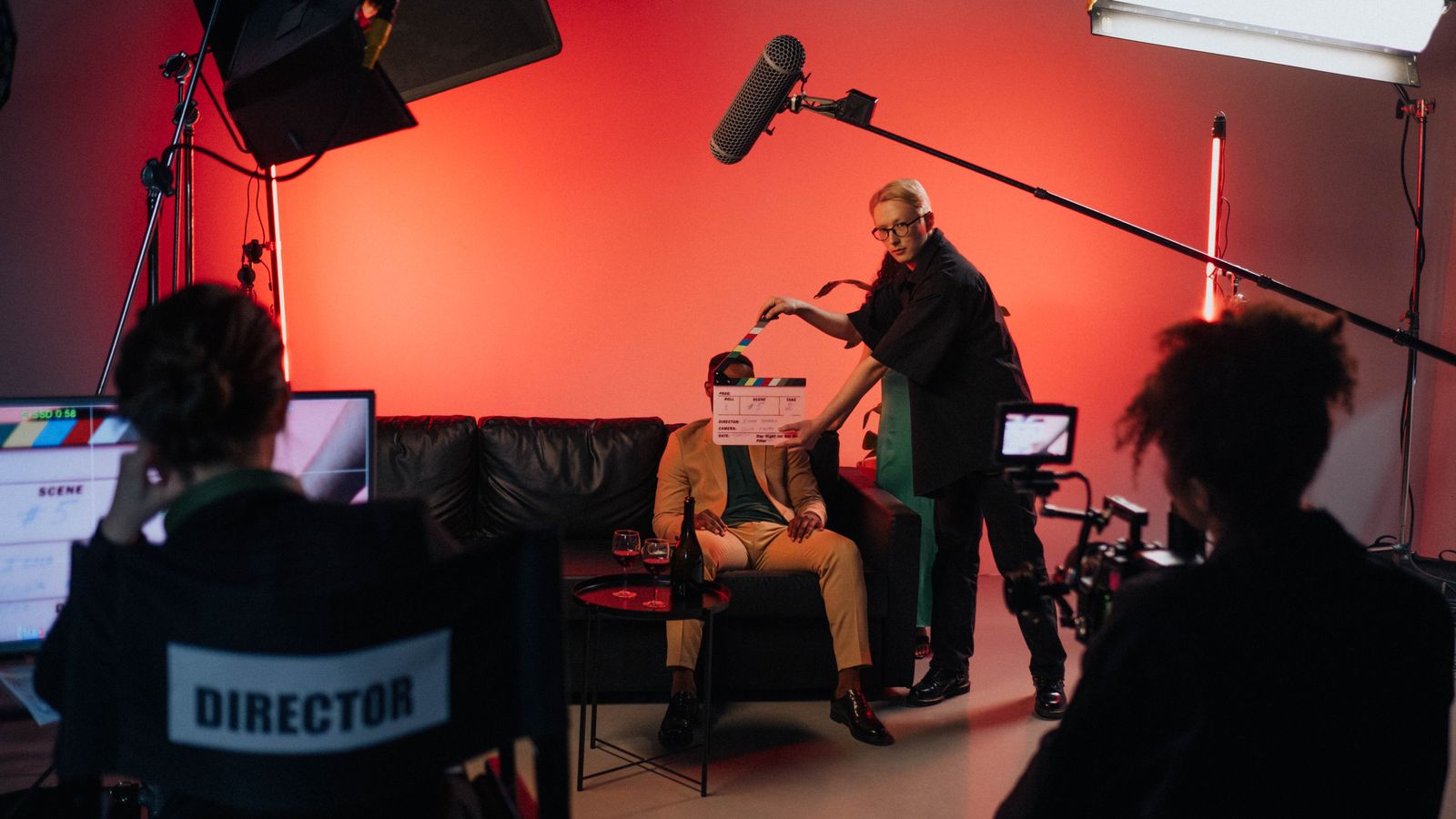
A brand manager sends a brief: 30 seconds, six scenes, a product that has to appear in three of them, and a launch date eight days out. The studio generates. Forty-two clips later, the timeline holds six usable shots and none of them match. The presenter's jacket changes colour across a cut. The kitchen counter sits on the wrong side of frame in shot four. Two consecutive shots push the camera in opposite directions, so the edit reads as a stumble rather than a move.
None of those problems came from the model. Each one was decided, silently, before the first prompt was typed — in a document that never existed. At KAMOD we build a storyboard before we open a generation tool, and it is the cheapest ninety minutes in the whole production. This is what that document contains and why each field is there.
The board decides more of the output than the model does
A generation model resolves ambiguity with whatever is statistically ordinary. That is the entire behaviour: give it "a woman walks into a bright kitchen" and you get a plausible kitchen, a plausible woman, a plausible walk — none of which are your kitchen, your presenter, or your blocking. The prompt did not fail. It answered a different question than the one you meant.
A board removes the ambiguity before the model gets a chance to fill it in. Each panel answers: where is the camera, what is in frame, what moves, how long the shot lasts, what the light is doing, and how this shot connects to the ones either side of it. Six answers, six lines. Once they exist, the prompt stops being a wish and becomes a specification.
Six fields per panel, no more
Boards fail when they become art projects. Six fields are enough to make a shot executable, and short enough that a producer will actually fill them in.
Shot number and duration. Numbered S01, S02 and so on, with a duration in seconds — not "short" or "quick". Duration dictates what the model can physically show: three seconds is one action, six seconds is an action plus a reaction. A board without durations produces clips that have to be trimmed into something they were never composed for.
Camera position and lens feel. Wide, medium or close, plus the height — eye level, low, overhead. Add whether the camera is locked or moving, and if moving, the direction and speed. "Slow push in from medium to close, four seconds" is executable. "Dynamic" is not.
Subject and action in one sentence. One subject, one action, present tense: she lifts the box from the counter and turns to camera. Two actions in one panel split the model's attention and usually deliver neither of them properly.
Screen direction and eyeline. Which way the subject faces, which way they travel across frame, and which side of frame the product occupies. This is the field most often skipped and the one that breaks edits. If shot three has her walking left to right, shot four must not have her walking right to left unless something in the story motivates the reversal.
Light and palette. Time of day, source direction, hard or soft, warm or neutral. Write it as a decision: late afternoon, single window at camera left, warm, soft falloff. Consistent light is what makes six separate clips feel like one scene.
Continuity anchors. Wardrobe, props, set dressing, hair, and anything the model must repeat exactly. If a panel says grey jacket, sleeves rolled, no watch, that line goes into every prompt for that sequence. Where the same character appears in several shots, the reference image is pinned to the board panel rather than hunted for later.
Board for the cut, not for the frame
Most first boards are drawn as a series of handsome stills. That is a mood board with numbers on it. A board that survives editing is built around transitions.
For every cut, decide what carries across it: a movement, a shape, a colour, or a sound. If the camera is pushing in at the end of S02, S03 can continue that push — one continuous feeling assembled from two separate generations. If S04 ends with the product filling frame, S05 can open on it and pull back. These joins get decided on paper because deciding them in the timeline means regenerating, and regenerating costs both money and a day of schedule.
Mark the cut type on the panel: hard cut, match cut, cut on action, or a deliberate hold. Cut on action is the workhorse of AI sequences, because it hides small differences in motion between two clips — the eye follows the movement instead of comparing frames.
From board to prompt without losing the board
We keep one prompt block per shot number, generated from the panel fields rather than written freehand. A block contains the panel description, the camera instruction, the light instruction, the continuity list, and the negative constraints — no on-screen text, no extra people, no handheld shake. The same block is reused on every retry of that shot, with one variable changed at a time.
That last part matters more than it sounds. When a shot comes back wrong and you change four things at once, you cannot tell which change fixed it, and you cannot reproduce the version you liked. Change the camera line only, or the light line only, and log what changed and what it produced.
Keep a per-shot log: reference image used, seed if the tool exposes one, model and version, date. Six weeks later, when a client asks for a variation of shot four, that log is the difference between a twenty-minute job and a rebuild from scratch.
Watch the animatic before spending on generation
Before final generation, cut the boards into a timed sequence: stills on the timeline at their intended durations, a scratch voiceover, a music bed. An afternoon of work. It surfaces the problems that are cheap to fix on paper — a shot two seconds too long, a sequence missing the reaction shot nobody boarded, an opening that never establishes the location before the action begins.
At this stage, changing a panel costs a redraw. After generation, the same change costs a clip, and usually a second clip to match it. We show the animatic to clients at exactly this point: approval on a board is fast and inexpensive to honour, while approval on a finished frame invites revisions that cascade through everything downstream.
What skipping it actually costs
From our own jobs, roughly. A six-shot, 30-second sequence needs 18 to 30 generation attempts with a board, and 60 or more without one, because every retry without a board is a fresh guess rather than a correction. Generation bills by seconds of output, so retries are never free, and review time is the larger cost — someone has to watch each attempt and decide.
There is a schedule cost too. Boards let two people work in parallel: one animating shots while the other boards the next sequence. Without a board the second person waits for the first person's prompt to settle, and production becomes a single-file queue.
The honest trade-off: boarding adds about a day at the front of a project and constrains the happy accidents that occasionally make AI footage interesting. We keep one deliberate unboarded exploration pass early to catch those. It is a pass, not the plan.
Working with a studio
If you are commissioning this, ask to see the board before generation starts. A studio that can show numbered panels with durations, camera notes and continuity lines has done this before. A studio that jumps straight to prompts is charging you to discover the film on your budget.
At KAMOD we board every sequence in Tashkent and produce worldwide, in English, Russian and Uzbek. If you have a launch date and a rough idea, send the brief — you will get a numbered board and a fixed quote before a single clip is generated.